Keeping your home secure starts with small but important steps. One of those is learning how to change garage door keypad code settings regularly. Many homeowners forget this simple task, yet it plays a major role in protecting your garage and, ultimately, your home.
Whether you’ve recently moved in, shared your code with others, or just want better security, updating your keypad code is quick and easy. In this guide, you’ll learn everything you need to know—from basic steps to expert tips—so you can handle the process like a pro.
Why You Should Change Your Garage Door Keypad Code
Before diving into the steps, it’s important to understand why changing your code matters.
Over time, keypad codes can become less secure. Maybe you’ve shared it with neighbors, delivery personnel, or service providers. Even worse, older codes can sometimes be guessed if they’re too simple.
By taking a few minutes to change garage door keypad code, you improve your home’s security and maintain control over who can access your garage.
How Garage Door Keypads Work
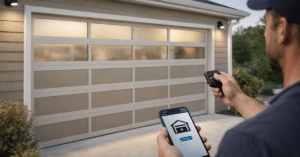
Garage door keypads are wireless devices mounted outside your garage. They allow you to open or close the door using a PIN instead of a remote.
Most modern systems use rolling code technology, meaning the signal changes each time you use it. However, the keypad PIN itself still needs to be updated manually when necessary.
Understanding this helps you see why garage keypad reset and code changes are essential for both convenience and safety.
How Do Garage Door Keypads Work? Everything You Need to Know
When Should You Change Your Keypad Code?
There are certain situations where updating your code is highly recommended.
If you’ve just moved into a new house, you should immediately update the code. Similarly, if you’ve shared the code with multiple people, it’s wise to change it afterward.
Additionally, if your keypad has been acting strangely or responding inconsistently, a reset and new code can often solve the issue.
Regular updates—every few months—are also a good habit for maintaining security.
Step-by-Step Guide to Change Garage Door Keypad Code
Now let’s walk through the actual process. While specific steps may vary slightly depending on your opener brand, the general method remains similar.
Step 1: Locate the Learn Button
To begin, find the “Learn” button on your garage door opener motor unit. This is usually located on the back or side of the unit, near the antenna wire. The button may be labeled “Learn” or come in colors like yellow, purple, red, or green. This button is essential for updating your code.
Step 2: Press the Learn Button
Press and release the Learn button. You’ll notice an LED light turning on, indicating the system is ready for programming. At this point, you typically have about 30 seconds to enter a new code on the keypad. Timing is important here, so be ready to move to the next step quickly.
Step 3: Enter Your New Keypad Code
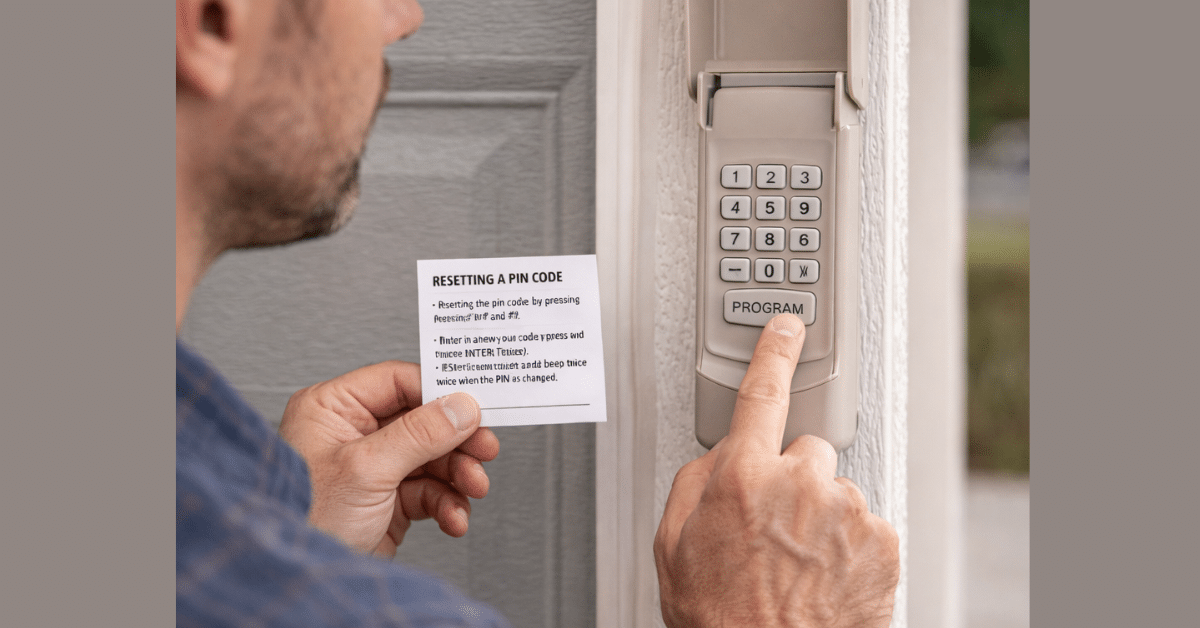
Go to your keypad and enter your desired PIN. Choose something secure but easy for you to remember. Avoid common combinations like “1234” or “0000.” Instead, use a unique sequence that isn’t easy to guess. After entering the new code, press the “Enter” button.
Step 4: Test the New Code
Once the code is set, test it immediately. Enter your new PIN on the keypad and press Enter. If the garage door opens or closes, the process was successful. If it doesn’t work, repeat the steps carefully, ensuring proper timing and input.
How to Reset Garage Door Keypad Completely
Sometimes, you may want to perform a full garage keypad reset instead of just changing the code. To do this, press and hold the Learn button on the opener for about 6–10 seconds until the LED light turns off. This clears all stored codes and remotes. After resetting, you’ll need to reprogram your keypad and any remotes from scratch.
This is especially useful if you suspect unauthorized access or experience repeated issues.
Choosing a Strong and Secure Code
Security is only as strong as the code you choose.
When you update garage door code, avoid predictable numbers like birthdays or simple patterns. Instead, go for a random combination that only you can remember.
For example, mixing numbers that have personal meaning—but aren’t obvious—can make your code both secure and memorable.
Changing your code regularly adds an extra layer of protection.
Common Problems and How to Fix Them
Even though the process is simple, you might run into a few issues.
If your keypad isn’t responding, the battery could be dead. Replacing it often solves the problem instantly.
If the code isn’t working, double-check your steps and ensure you pressed the Learn button correctly. Timing errors are common.
Sometimes, interference or distance can also affect performance, so make sure you’re within range during programming.
Wireless Keypad Programming Tips
For a smooth wireless keypad programming experience, keep a few things in mind.
- Always perform the setup when you’re close to the opener. This ensures a strong signal.
- Work in good lighting so you can clearly see the keypad and LED indicators.
- Most importantly, follow the sequence carefully. Skipping steps or rushing can lead to errors.
Garage Door Security Tips You Shouldn’t Ignore
Changing your keypad code is just one part of overall garage security. Make sure your garage door closes completely every time. Regularly inspect your system for wear or damage. Avoid leaving spare remotes in visible areas, such as inside your car. By combining these habits with regular code updates, you create a much safer environment for your home.
Maintaining Your Keypad for Long-Term Use
To keep your keypad working efficiently, perform regular maintenance. Clean the keypad surface to prevent dirt buildup. Replace batteries as needed—usually once a year. Also, check for worn-out buttons or fading numbers, which can make it harder to enter your code accurately. A well-maintained keypad ensures consistent performance and fewer issues.
When to Replace Your Garage Door Keypad
If your keypad continues to malfunction despite resets and battery changes, it might be time for a replacement. Older keypads can lose responsiveness or become incompatible with newer systems. Upgrading to a modern keypad not only improves functionality but also enhances security with updated technology.
Conclusion
Learning how to change garage door keypad code is a simple yet essential task for every homeowner. With just a few steps—locating the Learn button, entering a new code, and testing it—you can significantly improve your home’s security.
Regular updates, combined with good maintenance and smart security practices, ensure your garage door system remains reliable and safe.
Take a few minutes today to update your code—you’ll gain peace of mind knowing your home is better protected.
FAQs
Q1. How often should I change my garage door keypad code?
A: It’s recommended to change your code every 3–6 months or whenever you’ve shared it with others.
Q2. What if I forget my keypad code?
A: You can reset the system using the Learn button and then set a new code.
Q3. Can I use the same code for multiple keypads?
A: Yes, as long as they are connected to the same opener system.
Q4. Why is my keypad not responding?
A: This is usually due to a dead battery, incorrect programming, or signal issues.
Q5. Is changing the keypad code enough for security?
A: It’s a great start, but combining it with regular maintenance and smart practices offers better protection.