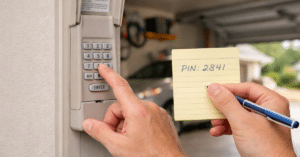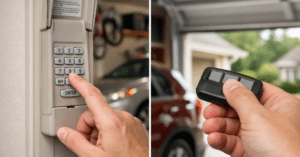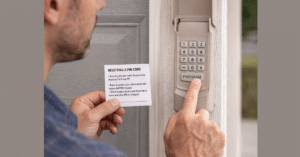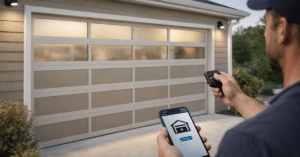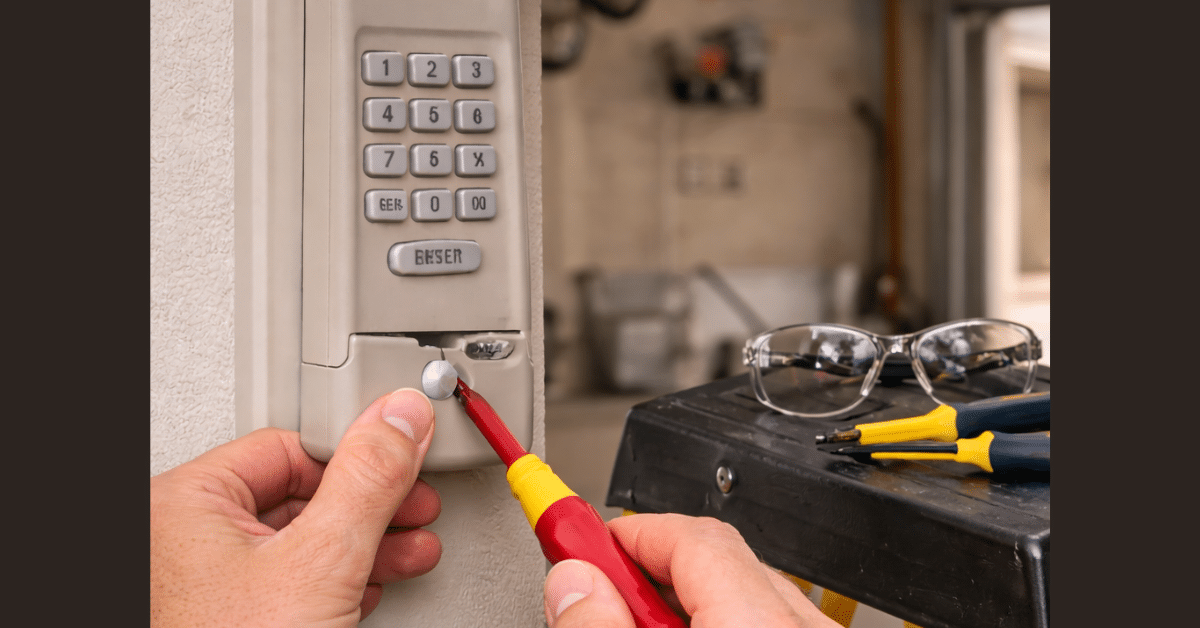
A garage door keypad is one of the most convenient ways to access your garage. However, when it stops working or you forget the code, it can quickly become frustrating. The good news is that learning how to reset garage door keypad systems is simple and doesn’t require professional help.
Whether you’re dealing with a forgotten PIN, a malfunctioning keypad, or a security concern, resetting your keypad can restore functionality and peace of mind. In this guide, you’ll learn step-by-step methods, safety tips, and troubleshooting advice to handle the process with confidence.
Why You Might Need to Reset Your Garage Door Keypad
There are several reasons why you may need to reset a garage door keypad settings.
One common reason is forgetting your PIN. Without the correct code, the keypad becomes useless. Another reason is security—if you’ve shared your code with others, resetting ensures only authorized access.
Additionally, technical issues such as unresponsive buttons or signal errors may require a reset. In many cases, a simple reset can fix these problems instantly.
How Garage Door Keypads Work
Before you begin, it’s helpful to understand how keypads function.
Garage door keypads are wireless devices that communicate with the opener using radio signals. When you enter a PIN, the keypad sends a signal to the motor unit, triggering the door to open or close.
During a wireless keypad reset, the connection between the keypad and opener is cleared, allowing you to reprogram a new code.
Safety Tips Before You Reset Garage Door Keypad
Safety should always come first when working with garage systems.
Make sure your garage door is fully closed before starting. This prevents accidental movement during the process.
Use a stable ladder if you need to reach the opener. Avoid rushing, especially when dealing with electrical components.
Also, ensure no one is operating the garage door while you’re resetting the system.
Step-by-Step Guide to Reset Garage Door Keypad
Now let’s go through the exact garage keypad reset steps you need to follow.
Step 1: Locate the Learn Button
To begin, find the Learn button on your garage door opener. This is usually located on the back or side of the motor unit.
The button may be labeled or color-coded depending on the brand.
This button is essential for the reset garage door keypad process.
Step 2: Press and Hold the Learn Button
Press and hold the Learn button for about 6–10 seconds.
You’ll notice the LED light turn off, which indicates that all stored codes and remotes have been cleared.
This step completes the reset process.
Step 3: Reprogram the Keypad
After resetting, you’ll need to set a new PIN.
Press the Learn button again briefly to activate programming mode. Then go to your keypad, enter your new code, and press Enter.
Wait for the opener light to blink or click, confirming successful programming.
Step 4: Test the New Code
Finally, test your keypad by entering the new PIN.
If the garage door responds, your reset and reprogramming were successful. If not, repeat the steps carefully.
How to Reset Garage Keypad Code Without Clearing Everything
Sometimes, you may only want to update your PIN without erasing all devices.
In this case, press the Learn button once (without holding it), then enter your new code on the keypad. This method allows you to reset garage keypad code without affecting remotes.
It’s a quicker option if you’re only changing the code for security reasons.
Common Problems After Resetting
Even after resetting, you might face some issues.
One common problem is the keypad not responding. This is often due to weak batteries. Replacing the battery usually solves the issue.
Another issue is incorrect timing. If you don’t enter the new code within the programming window, the process will fail.
Lastly, compatibility issues can arise if your keypad isn’t designed for your opener model.
Garage Door Keypad Troubleshooting Tips
If your keypad still isn’t working, try these simple solutions.
First, check the battery and replace it if needed.
Second, ensure you followed the steps correctly and didn’t miss any instructions.
Third, stand closer to the opener during programming to avoid signal issues.
These tips can resolve most garage door keypad troubleshooting problems.
Wireless Keypad Reset for Older Models
Older garage door systems may use different methods for resetting. Instead of a Learn button, some models use DIP switches. In these cases, you’ll need to match the keypad settings with the opener manually. Although this method is less common today, it’s still important for older setups.
Choosing a Strong Code After Reset
After you reset a garage door keypad, selecting a secure code is essential.
Avoid simple combinations like “1234” or repeating numbers. Instead, choose a random sequence that isn’t easy to guess.
Changing your code regularly also improves security and reduces the risk of unauthorized access.
When Resetting Doesn’t Fix the Problem
If resetting doesn’t solve the issue, the problem may be hardware-related.
Worn-out buttons, internal damage, or outdated technology can prevent the keypad from working properly.
In such cases, replacing the keypad is often the best solution. Modern keypads are more reliable and easier to use.
Benefits of Resetting Your Garage Door Keypad
Resetting your keypad offers several advantages.
It restores functionality when the system isn’t working. It also improves security by removing old or shared codes.
Additionally, it gives you a fresh start, ensuring your keypad operates smoothly and efficiently.
Preventing Future Keypad Issues
To avoid frequent resets, follow a few simple practices.
- Replace batteries regularly to maintain performance.
- Protect the keypad from harsh weather with a cover.
- Test the keypad periodically to ensure it’s working properly.
These steps help prevent recurring problems.
Maintaining Your Garage Door Keypad
Proper maintenance keeps your keypad in good condition.
- Clean the surface to remove dirt and debris
- Check for worn-out buttons and replace the unit if necessary.
- Keep the system updated with a secure code.
A well-maintained keypad will last longer and perform better.
Conclusion
Learning how to reset garage door keypad systems is an essential skill for homeowners. Whether you’re dealing with a forgotten code, a malfunction, or a security concern, resetting your keypad is a quick and effective solution.
By following the steps outlined in this guide, you can restore your keypad’s functionality and ensure your garage remains secure. With regular maintenance and smart usage, you can avoid future issues and enjoy reliable performance for years to come.
FAQs
Q1. How long does it take to reset a garage door keypad?
A: It usually takes 5–10 minutes, including reprogramming the new code.
Q2. Will resetting erase all remotes?
A: Yes, holding the Learn button clears all stored devices, including remotes.
Q3. Can I reset the keypad without the opener?
A: No, access to the opener is required to complete the reset process.
Q4. Why is my keypad not working after reset?
A: This could be due to weak batteries, incorrect programming, or compatibility issues.
Q5. How often should I reset my keypad?
A: You don’t need to reset it regularly—only when necessary, such as for security or troubleshooting.