If you’re tired of carrying remotes or worrying about lost keys, wireless garage door keypads offer a simple and secure solution. These devices allow you to open and close your garage door using a PIN code, giving you convenience and peace of mind.
Today, more homeowners are switching to keyless entry systems because they are easy to use, affordable, and highly reliable. Whether you want better security or easier access for your family, installing a wireless keypad can be a smart upgrade.
Let’s explore everything you need to know, from benefits to installation.
What Are Wireless Garage Door Keypads?
Wireless garage door keypads are small devices installed outside your garage. Instead of using a remote or key, you enter a numeric code to operate your garage door.
They work by sending a wireless signal to your garage door opener. Once the correct code is entered, the door opens or closes instantly.
These keypads are compatible with most modern garage door openers, making them a versatile addition to your home.
Why Choose Wireless Garage Door Keypads?
Many homeowners prefer keyless entry garage door systems for their simplicity and flexibility.
- Convenience in Daily Life: You no longer need to carry a remote everywhere. Whether you’re jogging, walking your dog, or stepping outside briefly, you can access your garage easily with just a code.
- Enhanced Security: Wireless keypads improve security by eliminating physical keys that can be lost or stolen. You can also change your PIN anytime, adding an extra layer of protection.
- Family-Friendly Access: Instead of giving multiple remotes to family members, you can share a single code. You can even assign temporary codes for guests or service providers.
- Backup Entry Option: If your remote stops working or you forget your keys, the keypad acts as a reliable backup.
Key Features to Look For
Not all wireless garage door keypads are the same. Choosing the right one ensures better performance and durability.
- Weather-Resistant Design: Since the keypad is installed outdoors, it should withstand rain, heat, and dust. Look for models with protective covers.
- Backlit Keypad: A backlit keypad allows you to use it easily at night without needing extra lighting.
- Rolling Code Technology: This feature changes the access code signal every time you use it, preventing unauthorized access.
- Temporary PIN Codes: Some advanced models allow you to set temporary codes for visitors or delivery personnel.
- Battery Efficiency: Most keypads run on batteries, so choose one with long battery life to avoid frequent replacements.
How Wireless Garage Door Keypads Work
Understanding how wireless keypad setup works can help you use it more effectively.
When you enter your PIN:
- The keypad sends a signal to the opener
- The opener verifies the code
- The door opens or closes
This process happens in seconds, making it both fast and reliable.
Step-by-Step Garage Door Keypad Installation
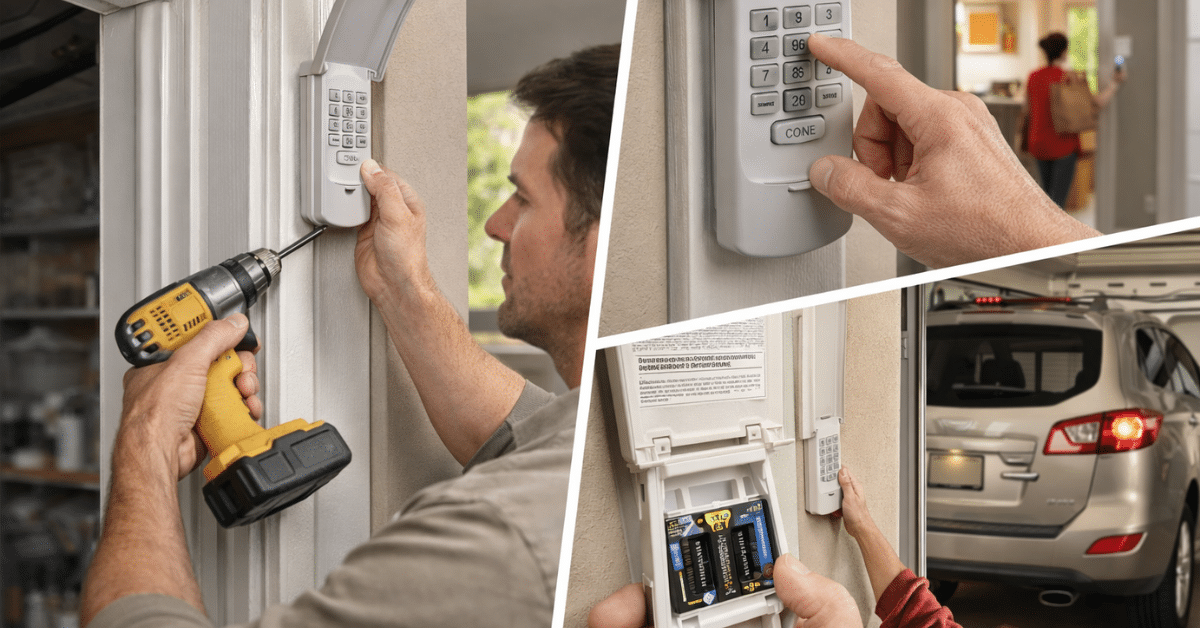
Installing wireless garage door keypads is easier than most people think. You don’t need advanced tools or professional skills.
Step 1: Choose the Right Location
Install the keypad:
- Near the garage door
- At a comfortable height
- Away from direct water exposure
Make sure it is easily accessible but not too visible from the street.
Step 2: Mount the Keypad
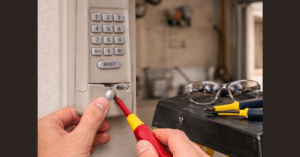
Use screws to attach the keypad securely to the wall. Most models come with mounting hardware.
Step 3: Insert Batteries
Open the keypad and insert the required batteries. Ensure they are properly aligned.
Step 4: Program the Keypad
Press the “Learn” button on your garage door opener. Then:
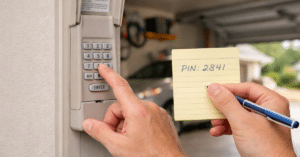
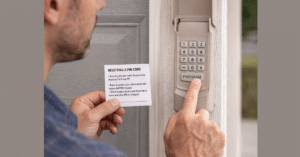
- Enter your desired PIN on the keypad
- Press the enter button
The system will sync automatically.
Step 5: Test the System
Enter your code and check if the door responds correctly. Test it multiple times to ensure smooth operation.
Common Mistakes to Avoid
Even though installation is simple, some mistakes can cause issues.
- Incorrect PIN Setup: Always confirm your code during programming.
- Weak Batteries: Low battery power can cause signal failure.
- Poor Placement: Avoid installing the keypad where it is exposed to heavy rain or direct sunlight.
- Skipping Testing: Always test the keypad after installation.
Maintenance Tips for Long-Term Use
To keep your wireless garage door keypads working efficiently, follow these simple tips:
- Replace Batteries Regularly: Check battery levels every few months.
- Clean the Keypad: Dust and dirt can affect button response.
- Update PIN Codes: Change your code periodically for better security.
- Check Mounting: Ensure the keypad remains securely attached.
Are Wireless Garage Door Keypads Safe?
Yes, modern keypads are designed with advanced security features.
Rolling code technology and PIN-based access make them highly secure. However, safety also depends on how you use them.
Avoid using obvious codes like “1234” and update your PIN regularly.
When Should You Upgrade Your Keypad?
If your current system shows signs of wear, consider upgrading.
Signs You Need a New Keypad
- Buttons stop responding
- Frequent connection issues
- Outdated security features
Upgrading ensures better reliability and security.
Wireless Keypads vs Traditional Remotes
Both options have their benefits, but wireless garage door keypads offer unique advantages.
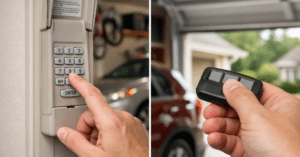
Remotes are portable but easy to lose. Keypads stay fixed and accessible to everyone in the household.
For many homeowners, using both together provides the best experience.
Garage Door Keypad vs Remote: Which One Is Better?
Why Wireless Garage Door Keypads Are Worth It
Investing in a wireless keypad adds value to your home.
It improves convenience, enhances security, and simplifies daily access. Plus, installation is quick and affordable.
With minimal effort, you can upgrade your garage into a smarter and more efficient space.
Conclusion
Wireless garage door keypads are a practical and modern solution for homeowners who want convenience and security. They eliminate the need for keys and remotes while offering easy access through a simple PIN.
With the right features, proper installation, and regular maintenance, these devices can serve you reliably for years. Whether you’re upgrading your garage or adding a backup entry system, a wireless keypad is a smart choice.
FAQs
Q1. Can I install a wireless garage door keypad myself?
A: Yes, installation is simple and usually takes less than 30 minutes.
Q2. Are wireless garage door keypads compatible with all openers?
A: Most modern openers support them, but always check compatibility before buying.
Q3. How do I reset my keypad code?
A: Press the “Learn” button on your opener and follow the programming steps again.
Q4. What if my keypad stops working?
A: Check the batteries, reprogram the keypad, and ensure it is within range.
Q5. Are wireless garage door keypads secure?
A: Yes, especially those with rolling code technology and strong PIN settings.