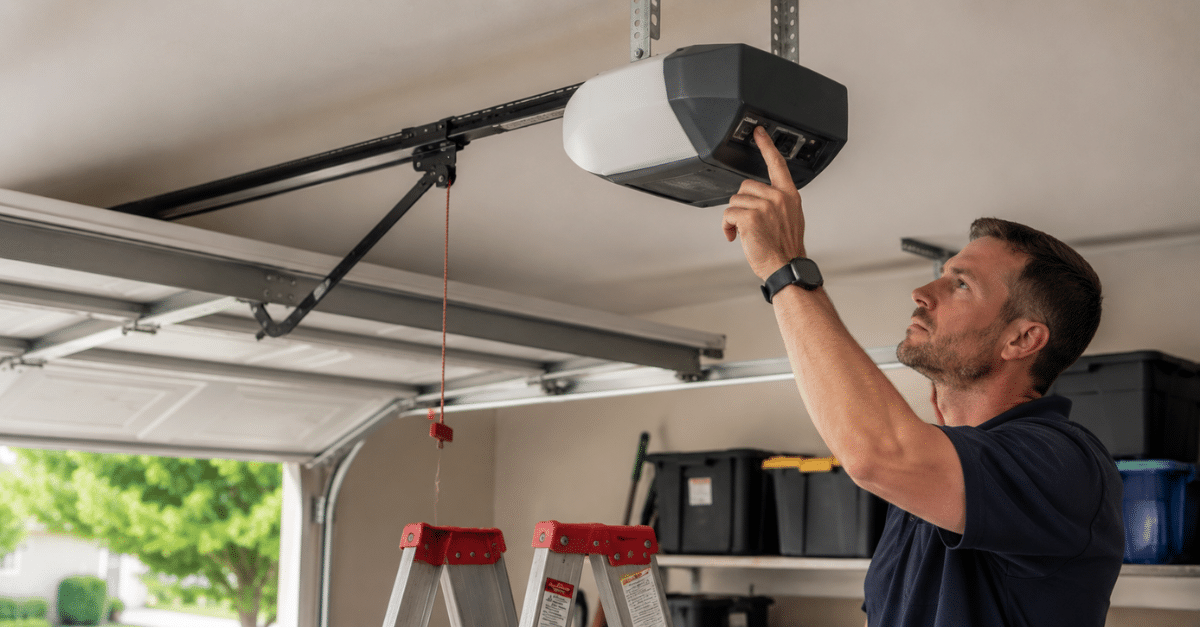
A power outage is disruptive enough on its own — but when your garage door opener stops responding once the electricity returns, that is a frustration you did not sign up for. Knowing how to reset garage door opener after power outage saves you time, money, and the stress of calling a technician for something you can resolve yourself in minutes. This guide walks you through every step of the reset process — from reconnecting the trolley to reprogramming remotes and keypads — so you are back in business fast.
Why a Power Outage Disrupts Your Garage Door Opener
Before jumping into the fix, it helps to understand what actually happens to your opener during a power outage. Most homeowners assume the door will simply work again once power returns — and often it does. However, several things can go wrong during or after the outage that prevent normal operation.
The Emergency Release Gets Triggered
During a power outage, many homeowners pull the red emergency release cord to manually operate the door. That is exactly what it is designed for. However, once power returns, the door is still disconnected from the opener’s trolley — and it will not respond to the remote or wall button until you reconnect it.
The Opener Loses Its Settings
Some older opener models lose their programmed remote and keypad codes when power is cut for an extended period. When power returns, the opener’s memory has been wiped — and every remote and keypad needs reprogramming from scratch before they work again.
A Power Surge Trips the Opener
A power surge during restoration — which is common — can trip the opener’s internal circuit breaker or reset its logic board. The motor unit may appear dead even though the outlet has power. This is a different problem from a simple disconnect and needs its own solution.
Step 1 — Check Power at the Outlet First
Before assuming the opener needs resetting, confirm the outlet actually has power. This sounds obvious — but it is the most commonly skipped step.
Plug a lamp or phone charger into the same outlet your opener uses. If it does not power on, the outlet lost power during the outage and may have tripped a GFCI breaker. Locate your home’s breaker panel and reset any tripped breakers. Many garage outlets are on a dedicated circuit — check specifically for a garage or utility circuit in your panel.
Once you confirm the outlet has power and the opener still does not respond, move to the next step.
Step 2 — Reconnect the Trolley After Emergency Release
If you pulled the red emergency release cord during the outage, your door is physically disconnected from the opener. This is the most common reason an opener has power but still does not move the door.
How to Reconnect the Trolley
Pull the red cord toward the door — not away from it. This re-engages the spring-loaded release lever back into its carriage position. You should feel or hear a click as it locks back into place.
Next, press the wall button or remote to run the opener. The trolley carriage will travel along the rail and reconnect to the door automatically on the first cycle. Once you hear the connection click, the door is back under opener control and should operate normally.
Step 3 — Reset the Opener’s Logic Board
If the trolley is reconnected but the opener still does not respond to any remote or keypad, a power surge may have reset the opener’s logic board. Most modern openers have a simple reset procedure.
Locate the “Learn” button on your opener motor unit — it is typically on the back or side panel, often a small colored button (red, yellow, purple, or orange depending on the brand). Press and hold it for six seconds until the indicator light turns off. This clears all programmed remotes and keypads from the opener’s memory.
Now the opener is reset to factory defaults. Every remote and keypad needs to be reprogrammed — which is covered in the next step.
Step 4 — Reprogram Your Remotes and Keypads
After a logic board reset, every device that controls your opener needs reprogramming. The process is consistent across most major brands.
Reprogramming a Remote
Press and release the Learn button on the motor unit — do not hold it this time, just a quick press. The indicator light will turn on and stay lit for 30 seconds. Within those 30 seconds, press and hold the button on your remote that you want to program. Hold it until the opener’s light flashes or you hear two clicks — that confirms the remote is programmed.
Test immediately. If the door responds, the remote is successfully paired. Repeat for every additional remote.
Reprogramming a Keypad
Press and release the Learn button on the motor unit to activate the 30-second window. At the keypad, enter your desired PIN and press Enter (or Send, depending on your model). Hold it until the opener’s light flashes or clicks twice. Test the PIN to confirm it works.
If your keypad has its own Learn or Program button, consult your specific opener manual — the sequence varies slightly by brand and model.
Step 5 — Reset MyQ or Smart Opener Connections
If your opener connects to a smart home app — such as MyQ, Chamberlain, or LiftMaster’s app — a power outage can disconnect the Wi-Fi bridge or smart control panel. The opener works manually but the app shows the door as offline.
How to Restore Smart Connectivity
Unplug the Wi-Fi gateway or smart hub connected to your opener and wait 30 seconds. Plug it back in and allow two minutes for it to reconnect to your home network. Open the app and check the connection status.
If the device still shows offline, confirm your home router is fully back online first — routers sometimes take longer to restore than other devices after an outage. Once the router is confirmed online, repeat the gateway restart.
A persistent offline status after multiple restarts may indicate the surge affected the smart control panel. Contact your opener manufacturer’s support line or a local technician for further diagnosis.
Chamberlain/LiftMaster Official Support — opener reset and programming guides by model
When to Call a Professional Instead
Most power outage resets are genuinely DIY-friendly. However, some situations need professional attention.
Call a technician when: the opener motor hums but the door does not move after trolley reconnection, the logic board reset procedure produces no indicator light response, the opener trips its internal breaker repeatedly after power restoration, any burning smell or visible damage appears on the motor unit, or the door itself moves unevenly or makes unusual sounds once power returns.
These symptoms point to electrical damage from a power surge — not a simple reset issue. Continuing to operate a surge-damaged opener risks further damage to the motor, the circuit board, and in some cases the door’s mechanical components.
Frequently Asked Questions
Q: Why won’t my garage door opener work after the power came back?
A: Either the emergency release was triggered and disconnected the trolley, or a power surge reset the logic board — reconnect the trolley first, then reprogram remotes if needed.
Q: Do I need to reprogram my remote every time the power goes out?
A: Only if the outage wiped the opener’s memory — most modern openers retain programming through brief outages, but extended outages or surges can clear stored codes.
Q: How do I know if my opener’s logic board was damaged by a surge?
A: If the opener shows no indicator light response when you press the Learn button, produces a burning smell, or repeatedly trips its internal breaker, the logic board likely sustained surge damage.
Q: Can I prevent this problem during future power outages?
A: Yes — plug your opener into a surge protector or install a battery backup unit. Battery backups keep the opener functional during outages and protect the electronics from surge damage on restoration.
Q: How long does it take to fully reset a garage door opener after a power outage?
A: Most resets take 5–15 minutes — reconnecting the trolley takes under a minute, and reprogramming each remote or keypad takes about 30 seconds per device.
Conclusion
Knowing how to reset garage door opener after power outage turns a stressful moment into a quick five-step process. Check the outlet, reconnect the trolley, reset the logic board if needed, reprogram your remotes and keypads, and restore any smart app connections. Most homeowners complete the full reset in under 15 minutes. When the opener still does not respond after all five steps — or shows signs of surge damage — professional diagnosis is the right next move. Book a service call today and get your garage door opener back to full working order fast.